Collection
Shop by Game — FPS
First-person shooters demand precision, speed, and split-second reactions. The right fps gaming accessories can turn a decent player into a dominant force, and the wrong gear will hold you back no matter how sharp your reflexes are. Whether you play competitive fps games on pc or prefer console shooters, having the right gaming accessories makes all the difference between landing headshots and getting fragged.
This collection brings together the best gaming accessories designed specifically for fps players. From gaming mice with flawless sensors to mechanical keyboards built for rapid inputs, every product here was chosen to help serious gamers perform at their peak. Browse our full lineup of essential gaming accessories below.
Why Your Gaming Accessories Matter in FPS
In competitive fps titles like Valorant, Counter-Strike 2, and Call of Duty, milliseconds separate the best gaming gear from gear that costs you rounds. Your mouse tracking, keyboard response time, headset audio clarity, and monitor refresh rate all stack together. Upgrading even one piece of your gaming setup can boost your in-game performance noticeably.
The best gaming accessories for fps are the ones that remove barriers between your intentions and your actions. A lightweight gaming mouse with consistent tracking lets you flick to targets without fighting your equipment. A gaming keyboard with fast actuation means your movements register the instant you press a key. Clear audio from a quality headset gives you directional awareness that keeps you alive in long gaming sessions.
Every accessory in your gaming setup works together as a system. The best pc gamer rigs in the world fall short if paired with a cheap mouse or a budget headset that muddies footstep audio. Investing in the right gaming accessories is just as important as investing in the right gaming pc itself.
Gaming Mice for FPS
Your mouse is the most critical piece of gear for fps gaming. It controls your aim, and aim is everything. The perfect gaming mouse for competitive fps should be lightweight, responsive, and comfortable enough for long sessions without fatigue.
What to Look for in an FPS Gaming Mouse
Sensor quality is non-negotiable. Modern gaming mouse sensors track at speeds well above what any human hand can produce, but consistent tracking is what separates a good mouse from a great one. Look for mice with sensors that offer consistent tracking across all DPI ranges without acceleration or jitter. A high-DPI, lightweight gaming mouse gives you the precision that fps games demand.
Weight matters more than most players realize. Lighter mice require less effort to move, which reduces fatigue during long gaming sessions and allows for faster, more controlled flicks. Most competitive fps players prefer mice under 70 grams. Lightweight design is a priority for anyone who plays shooters daily.
Shape is entirely personal preference. Some players prefer ergonomic designs that fill the palm, while others like smaller, ambidextrous shells for fingertip or claw grip styles. The best gaming mouse is the one that fits your hand and your gaming style naturally.
Wired vs Wireless Gaming Mice
The old debate about wired options versus wireless is basically settled. Modern wireless technology eliminates lag, ensuring performance on par with wired devices. Top wireless gaming mice now offer polling rates up to 4,000Hz, which actually beats many wired options. Using a wired mouse can still minimize latency for competitive players who want zero chance of interference, but wireless mice have caught up in every meaningful metric.
Wireless mice also give you more freedom to position your mouse pad and adjust your setup without cable drag. The tradeoff is battery life and cost. Most wireless gaming mice last 70+ hours on a charge, and charging docks make keeping them topped up effortless.
Mouse DPI and Sensitivity Settings
DPI (dots per inch) controls how far your cursor moves relative to your hand movement. Most competitive fps players use relatively low DPI settings between 400 and 800, paired with low in-game sensitivity. This gives you more control over fine adjustments and lets you make consistent, repeatable flick shots.
Programmable buttons on your gaming mouse can speed up actions like weapon swapping, grenade throws, or ability activations. Look for a mouse with at least two side buttons for fps play. More buttons add versatility, but avoid mice so loaded with buttons that they become heavy or awkward.
Gaming Keyboards for FPS
Your keyboard handles all movement, ability use, and utility inputs in fps games. A responsive gaming keyboard removes input delay and ensures your character reacts the moment you press a key.
Mechanical Keyboards vs Membrane
Mechanical keyboards are the standard for competitive gaming. Each key sits on its own switch, which provides a distinct feel, faster actuation, and longer lifespan compared to membrane boards. For fps gaming, linear switches are the most popular choice. They travel straight down without a tactile bump, making rapid key presses smooth and consistent.
Switch type is a matter of personal preference, but most pc gaming professionals choose linear switches for fps. Red, yellow, and speed silver switches are common picks. If you prefer feedback when a key registers, tactile switches like browns work well for everyday use while still performing in competitive play.
Size and Layout Options
Full-size keyboards take up a lot of desk space. Many fps players prefer tenkeyless (TKL) or 65% layouts that remove the number pad and sometimes the function row. This frees up desk space for mouse movement, which is critical for low-sensitivity fps players who make large sweeping motions.
Compact gaming keyboards are especially popular among competitive gaming enthusiasts who attend LAN events or need a portable setup. They take up less room in your bag and on your desk without sacrificing the keys you actually use during play.
Features That Matter for FPS
N-key rollover and anti-ghosting ensure that every keypress registers even when you mash multiple keys at once. These features are standard on most gaming keyboards but still worth confirming before you buy.
RGB backlighting and customizable rgb lighting are nice for aesthetics and can help you see your keys in a dark room. Many gaming keyboards let you set per-key rgb lighting profiles, and some even react to in-game events. While rgb lighting does not improve performance, it adds personality to your gaming setup and makes your desk space feel complete.
Gaming Headsets for FPS
Sound is a weapon in fps games. A good headset lets you hear footsteps, reloads, and positional audio cues that tell you where enemies are before you see them. Gaming headsets designed for fps provide clear audio and accurate spatial imaging that gives you a real competitive edge.
Open-Back vs Closed-Back Headsets
Open-back headsets offer a wider, more natural soundstage that makes it easier to pinpoint the direction of in-game sounds. They leak sound in both directions, so they work best in quiet rooms. Closed-back headsets isolate outside noise and keep your audio private, making them better for noisy environments or late-night gaming sessions.
For competitive fps where directional awareness is critical, open-back designs have a slight edge. But a quality closed-back headset with good virtual surround processing can be just as effective for most players. Either way, look for headsets with clear audio reproduction and accurate imaging.
Wired vs Wireless Headsets
Wireless gaming headsets have improved dramatically. Modern wireless headsets offer low latency connections that are indistinguishable from wired in terms of audio delay. Long battery life models last 30+ hours per charge, and many support simultaneous wireless and wired connections.
Using a wired headset can still minimize latency for competitive players in tournament settings. Wired options also tend to be lighter since they skip the battery, which matters during long sessions. Both wired options and wireless options perform well for fps gaming. The choice comes down to whether you value the more freedom of wireless or the reliability of a cable.
Microphone Quality
A good microphone is essential for team communication in fps games. Look for headsets with noise-canceling microphones that isolate your voice from background noise. Detachable microphone designs let you use the headset for everyday use like music or calls without an awkward boom mic sticking out.
Immersive audio with clear audio output and a quality mic turns your headset into the single most versatile accessory in your gaming setup. You will use it for every gaming session, every voice call, and every stream. Immersive sound in fps games is not a luxury. It is a competitive advantage.
Gaming Monitors for FPS
Your monitor determines what you can actually see and react to in fps games. A monitor with a refresh rate of at least 144Hz significantly reduces motion blur and input lag, making it easier to track moving targets. Investing in a high-refresh-rate monitor is crucial for maximizing competitive precision in FPS gaming.
Refresh Rate and Response Time
A 144Hz monitor reduces motion blur compared to standard 60Hz displays. Many serious gamers now prefer 240Hz or even 360Hz monitors for competitive fps. Higher refresh rates produce smoother frames, which means you see enemy movement earlier and track targets more accurately.
Response time measures how quickly a pixel can change color. For fps gaming, look for monitors with 1ms or faster response times. Slow response times cause ghosting, where fast-moving objects leave visible trails on screen. A monitor that reduces motion blur and ghosting lets you play at your full potential without the display holding you back.
Panel Type and Resolution
TN panels offer the fastest response times but have limited viewing angles and color accuracy. IPS panels provide better colors and wider viewing angles with competitive response times. Many professional fps players use 24.5-inch 1080p IPS monitors because the smaller screen size keeps everything within your field of view and the lower resolution lets your gaming pc push maximum frame rates.
Higher resolutions like 1440p look sharper but require more GPU power to maintain high frame rates. If your gaming pc can handle it, a 1440p 240Hz monitor offers the best of both worlds. For budget friendly setups, a 1080p 144Hz monitor is the sweet spot for fps performance.
Adaptive Sync Technology
G-Sync and FreeSync prevent screen tearing by syncing your monitor refresh rate with your GPU output. While competitive fps players sometimes disable sync for the lowest possible input lag, adaptive sync eliminates visual artifacts that can be distracting during play. Most modern gaming monitors support at least one form of adaptive sync.
Mouse Pads for FPS Gaming
Your mouse pad is one of the most overlooked gaming accessories, but it directly affects your aim. A large mouse pad gives you room for the wide sweeps that low-sensitivity fps players need. Investing in a large mouse pad is crucial for maximizing competitive precision in FPS gaming, right alongside your monitor choice.
Surface Types
Cloth mouse pads offer more control and stopping power, making them popular for fps gaming where precise aim adjustments matter. Hard mouse pads provide less friction for faster mouse movements but sacrifice some control. Most competitive fps players prefer cloth pads because they offer a balance of speed and control that works for tracking and flicking.
Extended mouse pads that cover most of your desk space protect your desk surface and give your mouse nearly unlimited room to move. They also provide a consistent surface for your keyboard, keeping everything stable during intense gaming sessions.
Thickness and Base
Thicker mouse pads (3-4mm) are more comfortable for your wrist during long sessions but can feel slightly less responsive. Thinner pads sit closer to the desk and feel faster. A non-slip rubber base is essential to keep your pad from sliding during aggressive mouse movements.
Gaming Chairs for FPS
You cannot play your best if you are uncomfortable. A good chair supports your back and keeps you in a healthy position during long gaming sessions. Gaming chairs come in many styles, from racing-inspired designs to ergonomic office chairs repurposed for gaming.
What Makes a Good Chair for Gaming
Lumbar support is the single most important feature. A good chair with proper lumbar support prevents back pain and keeps you alert during long sessions. Adjustable armrests let you position your arms at the right height for your desk, which reduces shoulder and wrist strain.
Ergonomic designs with adjustable seat height, tilt, and recline give you the flexibility to find your ideal sitting position. Some gaming chairs also include headrest pillows and memory foam cushions for added comfort during marathon play sessions.
Gaming Chair vs Office Chair
Traditional office chairs often provide better ergonomics at similar price points compared to branded gaming chairs. The best approach is to prioritize actual comfort and adjustability over flashy aesthetics. Test chairs in person if possible, because comfort is entirely personal preference.
Controllers for FPS on Console
Console fps players rely on controllers for all aim and movement inputs. A good controller with a responsive analog stick and comfortable grip makes a major difference in how you play fps games on Xbox or PlayStation.
Standard vs Pro Controllers
Stock controllers work fine for casual play, but competitive console fps players often upgrade to pro controllers with back paddles, adjustable triggers, and swappable thumbsticks. These features let you keep your thumbs on the sticks while performing actions that would normally require moving to face buttons.
Some controllers offer adjustable trigger stops that shorten the travel distance for firing, giving you a faster rate of fire in fps games. Hair triggers are especially popular among competitive fps players on consoles who want every possible speed advantage.
Controller Accessories
Thumbstick grips improve control and prevent slipping during intense gameplay. Trigger extenders and control freaks add height to your sticks for greater precision. These accessories are affordable and can meaningfully improve your control in fps games on consoles.
Desk Setup and Accessories for FPS
Your overall gaming setup affects your comfort, focus, and performance. The right desk accessories keep your workspace organized and your gear positioned for optimal play.
Monitor Arms and Stands
A monitor arm lets you position your monitor at the perfect height and distance. This reduces neck strain during long sessions and frees up desk space underneath. Dual monitor arms are useful for players who stream or multitask while gaming on their pc.
Cable Management
Mouse bungees keep your wired mouse cable elevated and out of the way, preventing cable drag that affects your aim. Cable management clips and channels keep your desk space clean and your setup looking sharp. A tidy gaming setup is not just about aesthetics. It removes distractions and physical obstacles.
Lighting and Ambiance
Bias lighting behind your monitor reduces eye strain during long sessions in dark rooms. RGB lighting strips and customizable rgb lighting panels add personality to your gaming setup. While these accessories do not directly improve performance, they contribute to an immersive gaming experience that makes your play sessions more enjoyable.
VR Headsets for FPS
Virtual reality fps games offer a completely different experience. A vr headset puts you inside the game world, where your actual head movements control your view and your hand movements aim your weapons. VR fps gaming requires accessories built for physical activity, including comfortable head straps, controller grips, and face cushion replacements.
VR headset accessories like lens protectors, prescription lens inserts, and improved head straps make long vr sessions more comfortable. Battery packs that counterbalance front-heavy headsets reduce neck strain and let you play longer without fatigue.
Wireless vs Wired: The Full Breakdown
The choice between wireless and wired gaming accessories is one of the biggest decisions for any pc gamer building a gaming setup. Here is how it breaks down across each accessory category.
For gaming mice, wireless now matches wired performance. Modern wireless technology eliminates lag, ensuring performance on par with wired devices. The convenience of no cable drag makes wireless the preferred choice for many fps players, though wired options remain slightly cheaper.
For gaming keyboards, wireless is less critical since keyboards sit stationary on your desk. Wired gaming keyboards offer guaranteed latency-free performance and never need charging. Wireless keyboards provide a cleaner desk setup, and low latency connection protocols have closed the gap significantly.
For gaming headsets, wireless provides more freedom to move around and lean without pulling a cable. Battery life on modern wireless headsets easily handles even the longest gaming sessions. Wired headsets offer slightly better audio quality at similar price points and never run out of battery.
Budget Friendly FPS Gaming Accessories
Building a competitive gaming setup does not require spending thousands of dollars. Many budget friendly gaming accessories deliver excellent performance for the price. Prioritize your mouse and mouse pad first since they have the biggest impact on your aim. A mid-range gaming mouse with a quality sensor can often match expensive options in raw performance.
For budget friendly gaming keyboards, look for hot-swappable mechanical keyboards that let you try different switches without buying a whole new board. Many affordable mechanical keyboards offer features like rgb backlighting and n-key rollover that used to be exclusive to premium models.
A budget friendly gaming headset with clear audio and a decent microphone will serve you well until you are ready to upgrade. Focus on audio accuracy rather than bass-heavy sound signatures. You want to hear footsteps and positional cues, not just explosions.
Building the Complete FPS Gaming Setup
The ideal fps gaming setup balances performance, comfort, and personal preference across every piece of gear. Here is a recommended priority order for upgrading your accessories:
Start with your gaming mouse. A high-DPI, lightweight gaming mouse with consistent tracking is the single biggest upgrade you can make for fps performance. Essential accessories for enhancing FPS gaming include this mouse alongside a quality mouse pad.
Next, upgrade your mouse pad. A large, quality cloth pad gives you consistent tracking surface and room to move. These two accessories together transform your aim more than any other combination.
Third, invest in a gaming monitor. A monitor with a refresh rate of at least 144Hz significantly reduces motion blur and input lag, making it easier to track moving targets. This is the accessory that makes everything else feel faster and more responsive.
Fourth, get a quality gaming headset. Clear audio with accurate positional imaging gives you information that your eyes cannot. Hearing an enemy before seeing them is a massive advantage in competitive fps.
Finally, upgrade your keyboard and chair. These accessories improve comfort and input quality, but they have less direct impact on your aim than mouse, pad, and monitor. A good keyboard with fast switches and a good chair with proper lumbar support round out a complete competitive gaming setup.
Gaming Accessories for Different FPS Genres
Tactical Shooters
Games like Valorant and Counter-Strike 2 reward precision aim and careful positioning. Low mouse sensitivity, a large mouse pad, and a high refresh rate monitor are the most impactful accessories for tactical fps. Gaming keyboards with linear switches help with counter-strafing, and gaming headsets with wide soundstage help you hold angles based on audio cues.
Battle Royale Games
Battle royales like Warzone and Fortnite involve longer play sessions with varied engagement distances. A versatile gaming mouse with adjustable DPI stages lets you switch between close-range tracking and long-range sniping. A comfortable gaming chair matters more here because matches can last 20-30 minutes each. Competitive gaming in battle royales also benefits from a monitor with adaptive sync for smoother performance across different scenarios.
Arena Shooters and Twitch FPS
Fast-paced fps games like Quake, Apex Legends, and Overwatch 2 demand rapid target tracking and constant movement. An ultralight gaming mouse, large mouse pad, and the highest refresh rate monitor you can afford make the biggest difference. These games reward the best gaming mouse you can get paired with the fastest monitor available. Racing sims and other genres have different priorities, but twitch fps titles put mouse and monitor quality above everything else.
Console FPS
For fps on Xbox, PlayStation, or Nintendo Switch, a good controller with responsive sticks and adjustable triggers is the primary gaming accessory. Gaming headsets with clear audio and a strong microphone are equally important for team communication. Console players should also consider a gaming monitor over a television, since monitors offer faster response times and less input lag. Console accessories like controller grip covers, charging docks, and headset stands keep your gear organized and ready for play.
Maintaining Your FPS Gaming Accessories
Taking care of your gaming accessories extends their lifespan and keeps them performing at peak levels. Clean your gaming mouse sensor regularly with compressed air. Wipe down your mouse pad monthly to maintain consistent tracking. Keep your gaming keyboard free of dust and debris by shaking it out or using a keycap puller for deep cleaning.
Store your gaming headset on a headset stand when not in use. This preserves the headband shape and keeps the ear cushions from getting crushed. Replace worn ear pads and mouse feet as needed. These small maintenance tasks keep your gaming setup feeling fresh and responsive for years.
Shop FPS Gaming Accessories at Rage Quit Gear
Every gaming accessory in this collection was selected with fps players in mind. Whether you are building your first competitive gaming setup or upgrading specific pieces of your existing rig, you will find the right gaming accessories here. We carry gaming mice, gaming keyboards, gaming headsets, mouse pads, monitors, controllers, and every other accessory a pc gamer or console player needs to compete at the highest level.
Browse our full selection of fps gaming accessories and find the gear that matches your gaming style. From budget friendly starter setups to premium competitive gaming equipment, Rage Quit Gear has what you need to play at your best.
8 products
RGB Gaming Mousepad XL — 900x400mm, 15 LED Modes, USB-C
900x400mm of glowing real estate. 15 RGB lighting modes with a single-cable USB-C, stitched anti-...

Xeus | 8K 39g Superlight Tri-Mode Gaming Mouse
Sensor: PixArt 3950 optical sensor with 42,000 DPI, 750 IPS, and 50G acceleration for unmatched...
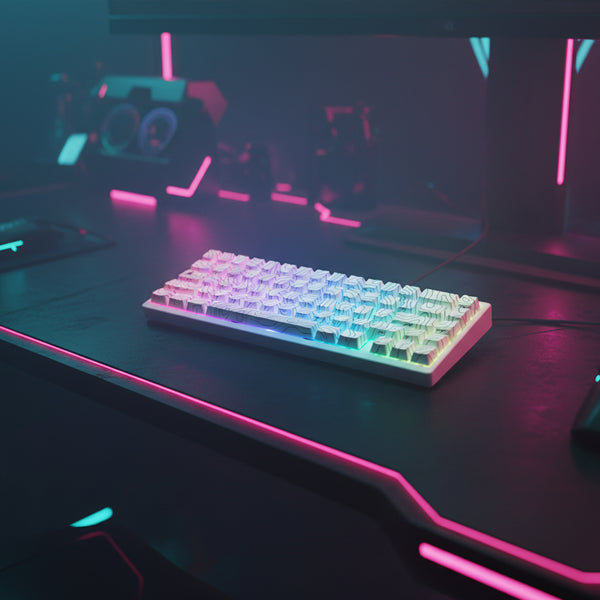
XVX M67 JadeStone VIA Tri-Mode Mechanical Keyboard with IMD-Tech Keycaps (Stellar White)
Specifications Model: XVX M67 JadeStone Stellar White Keycap: IMD Topographic pattern and lege...
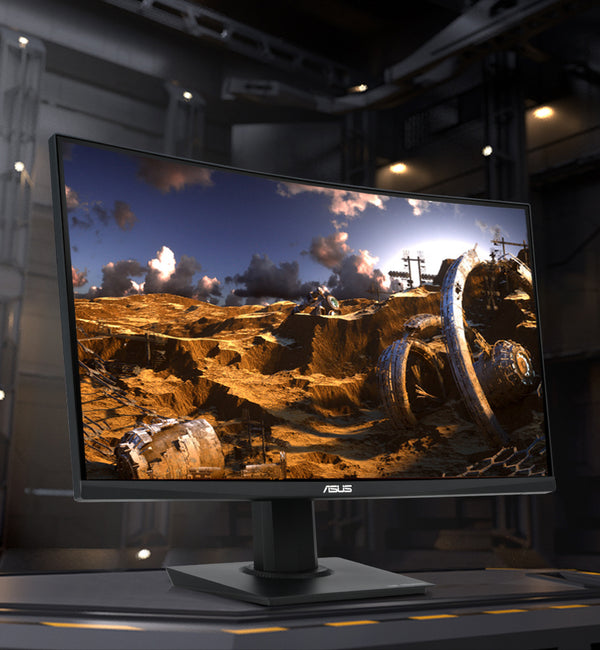
ASUS TUF Gaming 23.6" 1080P Curved Monitor (VG24VQE) (Refurbished)
Designed for intense, fast-paced games, the ASUS TUF Gaming VG24VQE is a 23.6” curved gaming disp...
27" Curved Gaming Monitor — 1440p 165Hz, 1ms Response
When the game runs at 165 fps but your monitor caps at 60, you're losing fights you'd otherwise w...
RGB Mechanical Gaming Keyboard — Hot-Swap Switches, Per-Key RGB, USB-C
Built for rage-quitters and comeback kings. Full-size 104-key mechanical keyboard with tactile bl...
7.1 Surround Gaming Headset — 50mm Drivers, Detachable Mic, PC/PS5/Xbox
Hear the footsteps before they hear you. 50mm drivers, virtual 7.1 surround sound, noise-cancelli...
RGB Mechanical Gaming Keyboard
Type, strafe, and bind like you mean it. Full-size mechanical keyboard with hot-swappable switche...